For all four IB Diploma maths courses
Your handwriting, marked in red ink — line by line.
Maths Retriever marks your handwritten IB maths line by line, whether you write on iPad with an optional Apple Pencil or photograph paper working with iPhone. See exactly where your working went wrong, with green ticks, red crosses and corrections in red.
iPad with Apple Pencil, or iPhone by photographing paper working
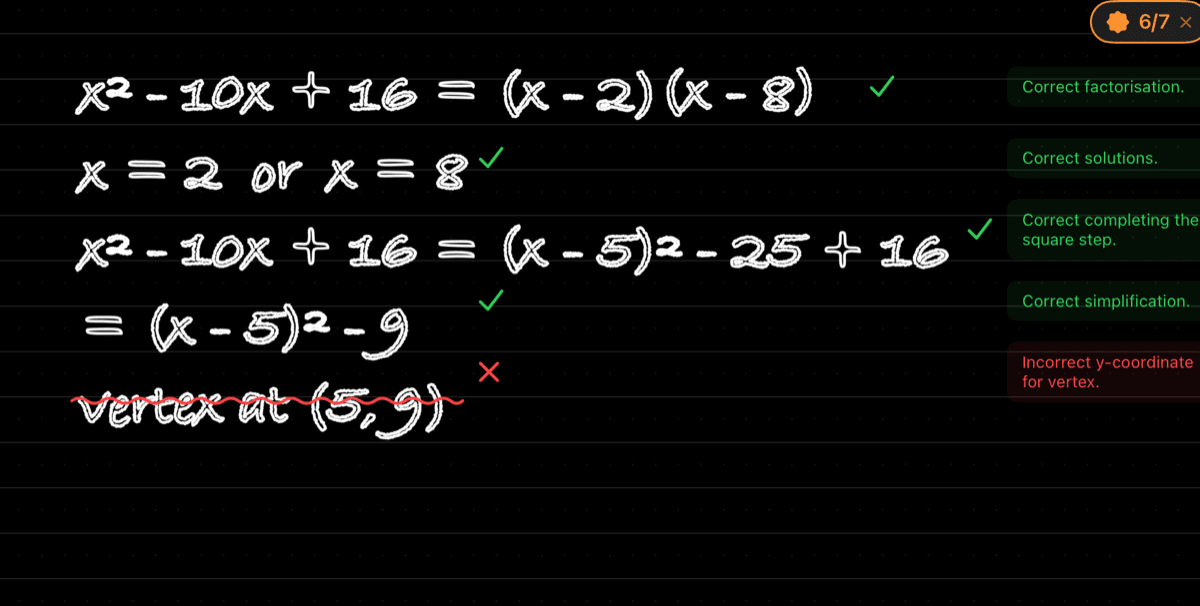
a real page, marked by the app ✓
How marking works
The practice bank uses original IB-style questions, not official past papers.
Write or photograph
Write on iPad with an optional Apple Pencil, or use iPhone to photograph working on paper.
Tap Check
Send the page for marking when you are ready.
Read the marking
Read green ticks, red crosses and corrections in red on your own working.
The AI marker can be wrong; every mark shows its reasoning so you can judge it.
One question, all the way through
Take a look inside
An illustrated walkthrough of the iPad app
See where it went wrong
Follow the marking on your own working, including the sign error.
Use Next, Back or the dots to explore each step.
Step 5 of 6: See where it went wrong. Follow the marking on your own working, including the sign error.
An illustrated example of writing, marking and checking a question. Like any marker, it can occasionally be wrong. Try it free on your own work.
what makes it different
It marks the working, the way the exam does.
In an IB maths exam the marks are for the method on the page. Maths Retriever reads the working you wrote by hand and marks it line by line, the way an examiner does.
Your own handwriting, marked
Green ticks and red crosses on the exact lines you wrote, with the correction beside the step that went wrong — not a model answer to compare yourself against.
Method marks, not just the answer
A right answer with wrong working loses marks in the exam. So it does here. A wrong answer with sound method keeps its method marks — as it would with an examiner.
Fits with everything else you use
Keep your notes, videos and question banks. When you want to know whether what you wrote would score, this is the app that tells you.
All four IB Diploma Mathematics courses
Each course has its own syllabus, its own paper formats and its own house style, with original exam-style questions for every sub-topic of all four courses.
What else is in it
 Open full image
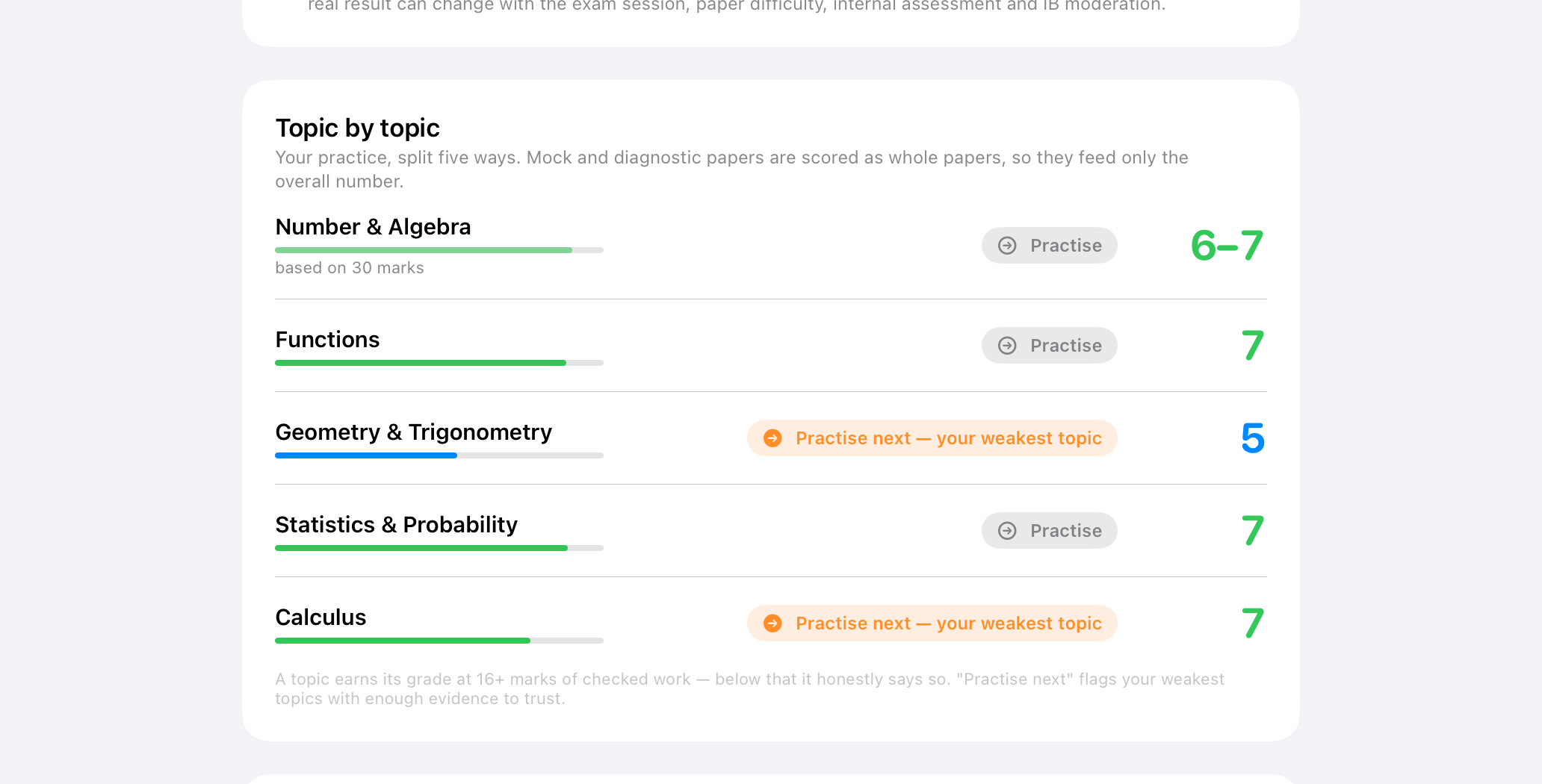
See what to practise next
A rough guide from your marked work — not an official IB prediction.
 Open full image
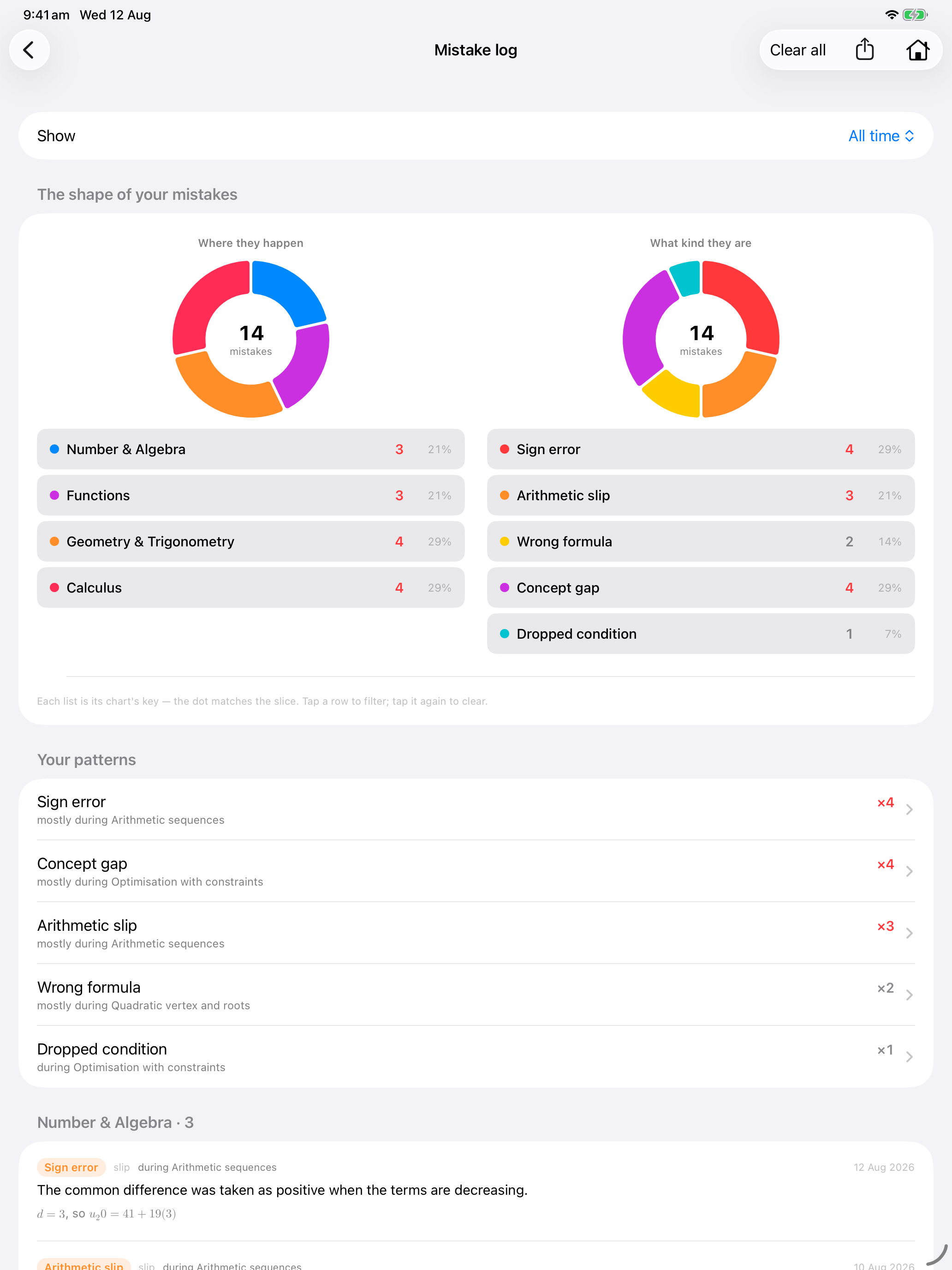
Marked errors are filed, so patterns show up
Sign errors, concept gaps, and where they keep happening
 Open full image
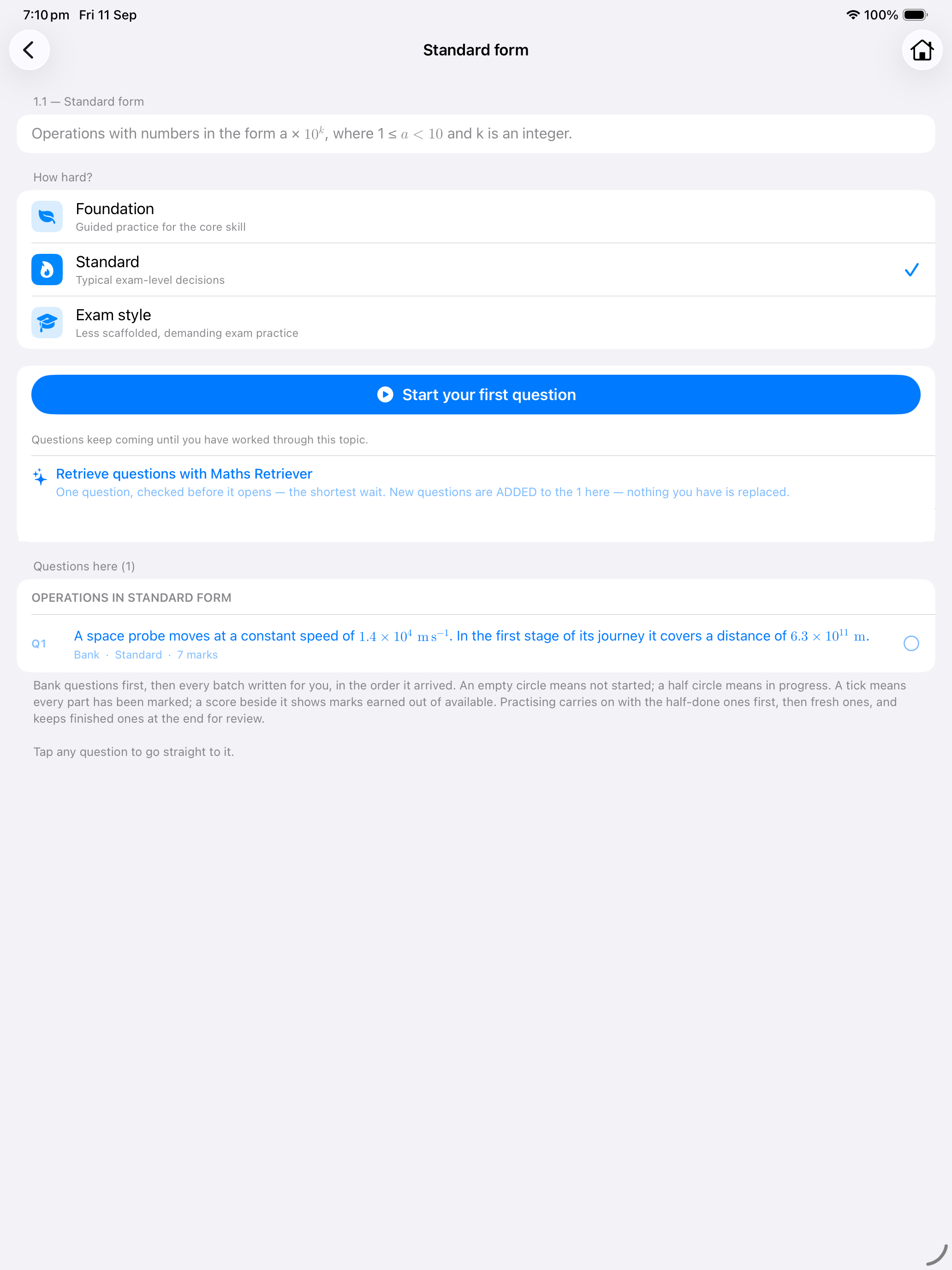
Choose the difficulty; questions are ready before you tap
Original IB-style questions at three difficulty levels
 Open full image
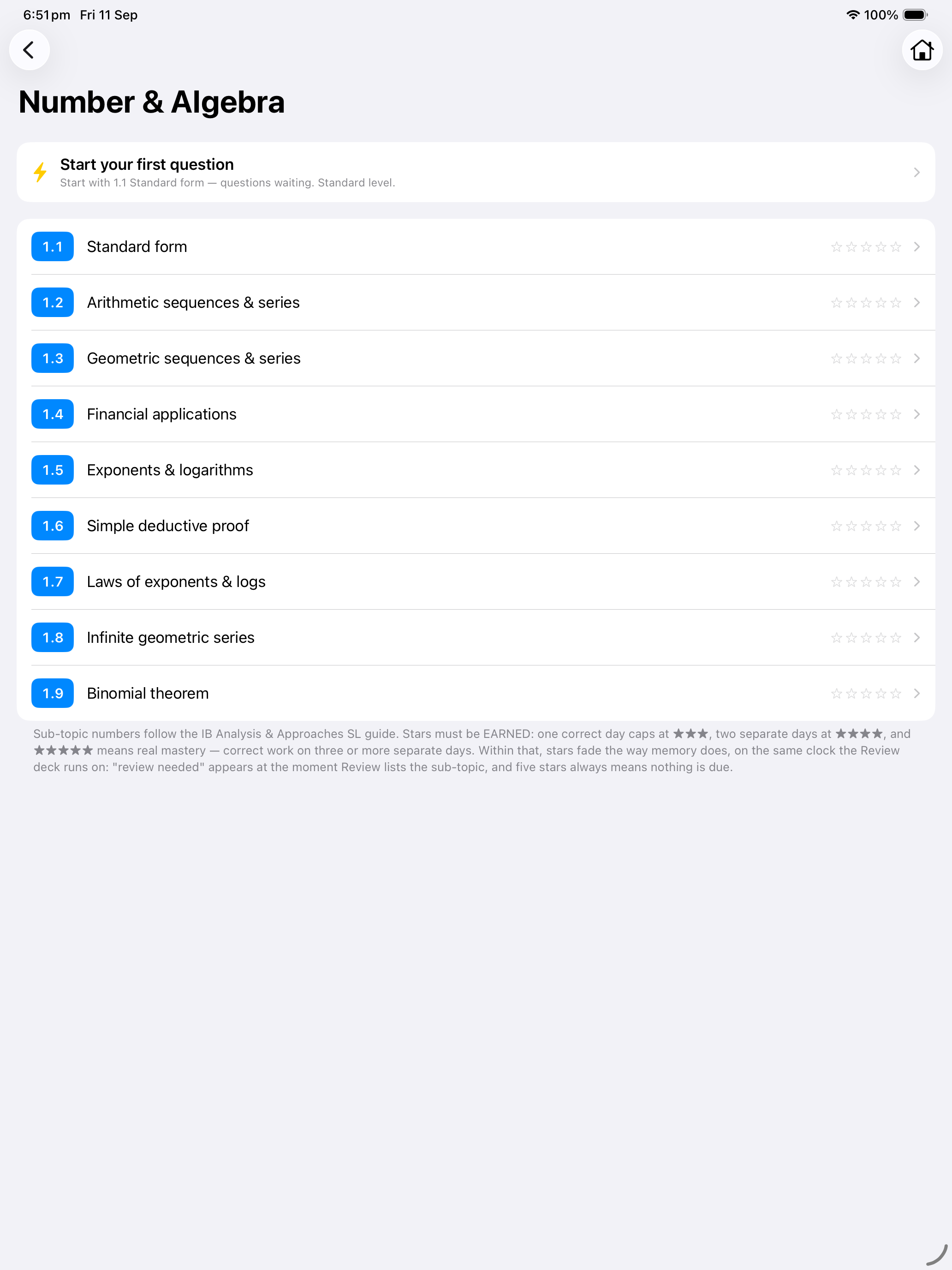
See what needs review
Course topics and their review status in one place
- A review deck that brings sub-topics back when they are due, spaced out over time
- Marked mistakes collected in the Mistake log
- Timed IB-style mock papers
- AA HL, AA SL, AI HL and AI SL

No account needed
When you request marking, the page image goes to the Maths Retriever service and third-party AI providers for marking. Read the privacy policy.
Before you start
Which device can I use?
Use iPad with an optional Apple Pencil, or use iPhone to photograph working on paper.
Does marking need internet?
Yes. Sending a page for marking needs an internet connection.
Can the AI marker be wrong?
Yes. Every mark shows its reasoning so you can judge it.
How does payment work?
Apple handles payment and shows your exact local price before you confirm.
Do I need an account?
No. Maths Retriever does not require an account.
More questions? Visit support.
Ready when you are
Bring red ink to your revision
Pro removes the caps and unlocks timed mock papers and the full question bank.
Use iPad with Apple Pencil, or iPhone by photographing paper working. Apple Pencil is optional.